 Blur Opposite Gender
Everywhere YouTube shows you people
Not just the video you're watching — the feed, Shorts and the suggestions at the end too.
Thumbnails are checked before you see them
Covers stay hidden until they've been checked, so nothing slips through while you scroll.
Fast cuts, handled
When the shot changes, the blur updates right away.
Only the person
The blur follows them as they move. Everything else stays clear.
Brothers and sisters
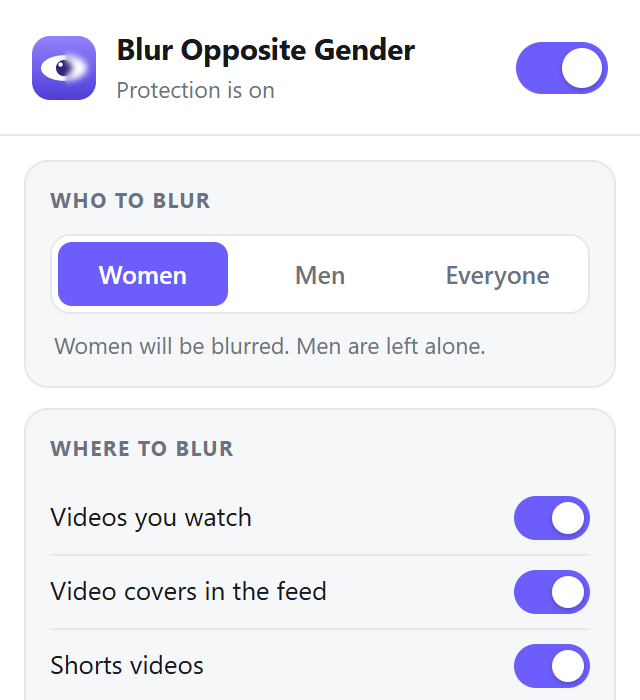
Choose who gets blurred with one tap.
YouTube stays smooth
Runs in its own background process and can use your graphics card.
Your screen never leaves your computer
The AI is packaged inside the extension and runs on your own device. We don't see what you watch — we couldn't even if we wanted to.
- No video, image or screen is ever uploaded
- No tracking, analytics or ads
- Works on Windows, Mac and Linux
Ready in a minute
Nothing to configure. It just works.
Add it to Chrome
Install from the Chrome Web Store. Also works in Edge and Brave.
Choose who to blur
Women, men or everyone. Adjust blur strength if you like.
Watch YouTube
Blurring happens automatically on every video, Short and thumbnail.
Covers free forever. Full Protection for $4 a month.
Every install starts with 3 days of Full Protection — no sign-up, no payment.
Basic
Clean feed, forever
No account, no card
Blurring
- Video thumbnails in your feed
- Shorts thumbnails
- Covers hidden until they're checked
- Blur women, men or everyone
- Inside videos
- Inside Shorts
Privacy
- Same privacy as Full Protection — nothing is ever uploaded
Full Protection
AI blurring + complete privacy
Billed monthly in US dollars · cancel anytime
Blurring
- Everything in Basic
- People inside videos, as they move
- People inside Shorts
- End-screen and suggested videos
Privacy
- No one sees what you watch, not even us PRIVATE
- AI runs on your computer — 0 uploads
- No tracking or ads — we never see your history
Included
- Use on up to 3 computers
- Uses your graphics card for speed
- Every future update, free
 Add to Chrome — start free
Secure card checkout · 14-day refund
How does the free trial work?
Install the extension and Full Protection is on for 3 days — no sign-up and no payment details. After that, thumbnail blurring stays free forever. Blurring inside videos and Shorts is $4 a month.
Do I need an account?
Not for the free plan or the trial. You only sign in with your email when you subscribe, so your subscription can follow you to a new computer or a reinstall. We send a 6-digit code — there is no password.
Does it upload my videos or screen anywhere?
No. The AI runs entirely on your computer. We never see what you watch.
Will it slow YouTube down?
No. Detection runs in a separate background process, not on YouTube's page, and only while a video is visible and playing.
Is it 100% accurate?
No AI is perfect. It catches the large majority of cases and improves with every update, but occasionally someone may be missed or blurred by mistake. You can adjust sensitivity in the settings.
Which browsers are supported?
Google Chrome, Microsoft Edge, Brave and other Chromium browsers on Windows, Mac and Linux.
How do I pay?
Open Account in the extension and choose Premium. Pay securely by debit or credit card on our payment provider's checkout page; other local payment methods may be offered depending on your country. Prices are in US dollars, and local sales tax or VAT may be added at checkout.
Can I cancel?
Yes, anytime — from the Account page in the extension or from the link in your receipt email. You keep Full Protection until the end of the month you paid for, then you go back to the free plan. Not happy? We refund any payment within 14 days.
Protect your gaze on YouTube
Thumbnails free forever. Try Full Protection free for 3 days.